REAPER Script · Randomization Engine
Vortex
Randomize sample layers across complex track structures. Every path intact, every session.
Also available as part of the Temper Bundle.
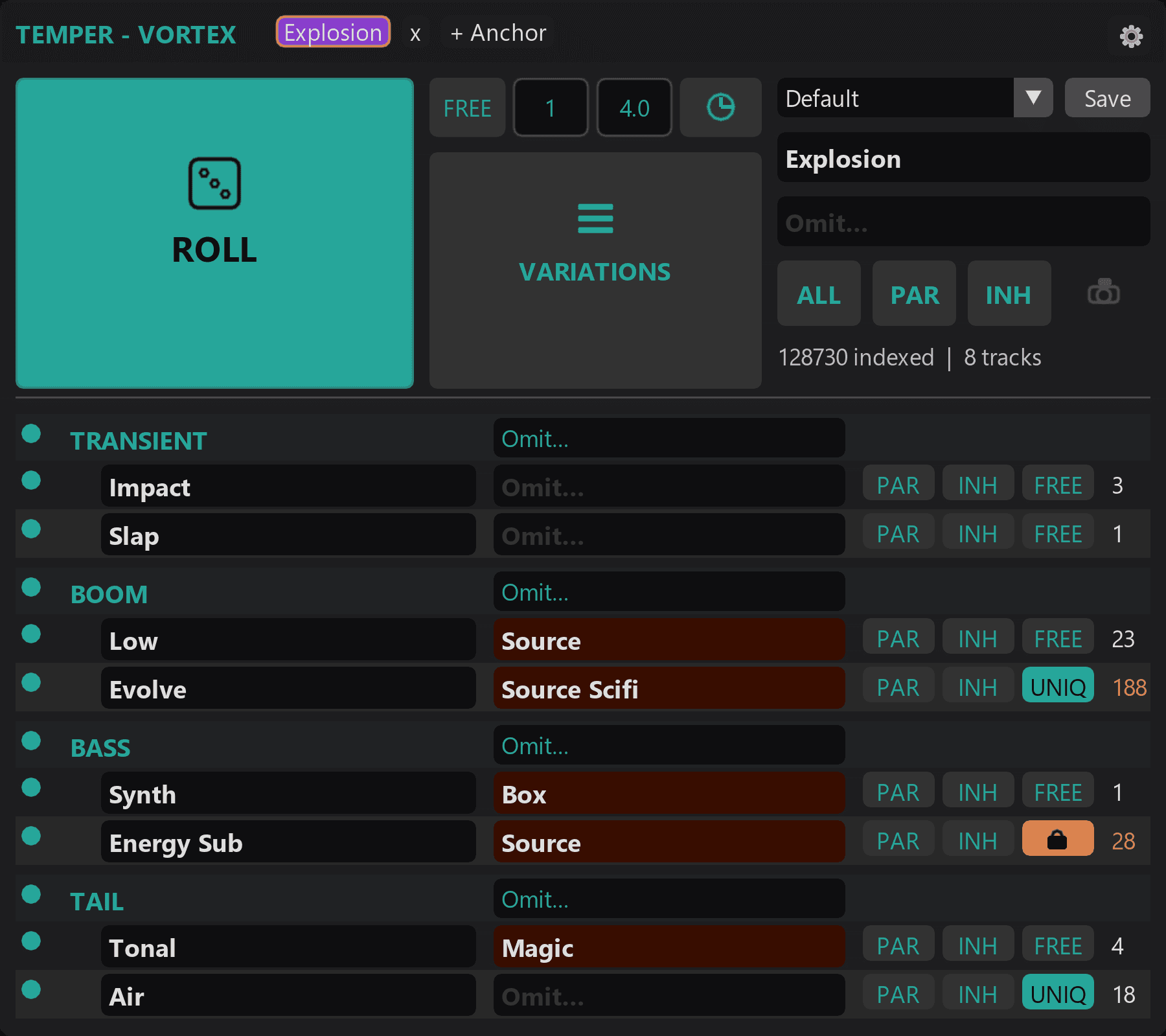
How it works
A different approach to iterating on multi-layered sounds. Roll variations quickly, lock in the choices that are working, and let your best past setups carry forward.
Multi-track, multi-layered sounds
For sounds built from multiple tracks layered together. Register the group once and Vortex treats it as a single design you can iterate on, not a pile of tracks to manage.
Variations at speed
Roll a batch of variations across every layer in one action. Compare them side by side at the spacing you choose, and keep the ones that stand out.
Lock in what's working
As a layer lands, lock it. Roll the rest around it. Your committed choices stay put while the parts still in flux keep moving.
Recall what already worked
Save any configuration and bring it back instantly. The setups that took you an hour to dial in last week are one click away this week, so you start from your best past decisions, not a blank slate.
How it works
Select your folder track and register it as an anchor group.
Configure child tracks: set search queries, assignment modes, lock any rows you want to protect.
Hit Roll. Layers randomize with correct paths, inherited properties, and your locked rows preserved.
Requirements
- Windows 10 or 11
- REAPER 7.x or later
- ReaImGui extension
Vortex
Also available as part of the Temper Bundle.
Actively developed and supported. Found a bug? Report it and it gets fixed.