REAPER Script · Library Preparation
Mark
Drop markers into your WAV libraries without touching the original files.
Also available as part of the Temper Bundle.
How it works
Markers placed into your WAV libraries so the material you work with is already sliced up where it matters.
Scan a library, not a file
Point at a folder and Mark loads every WAV inside. Work on whole libraries in one pass instead of opening files one at a time.
Detection you can dial in
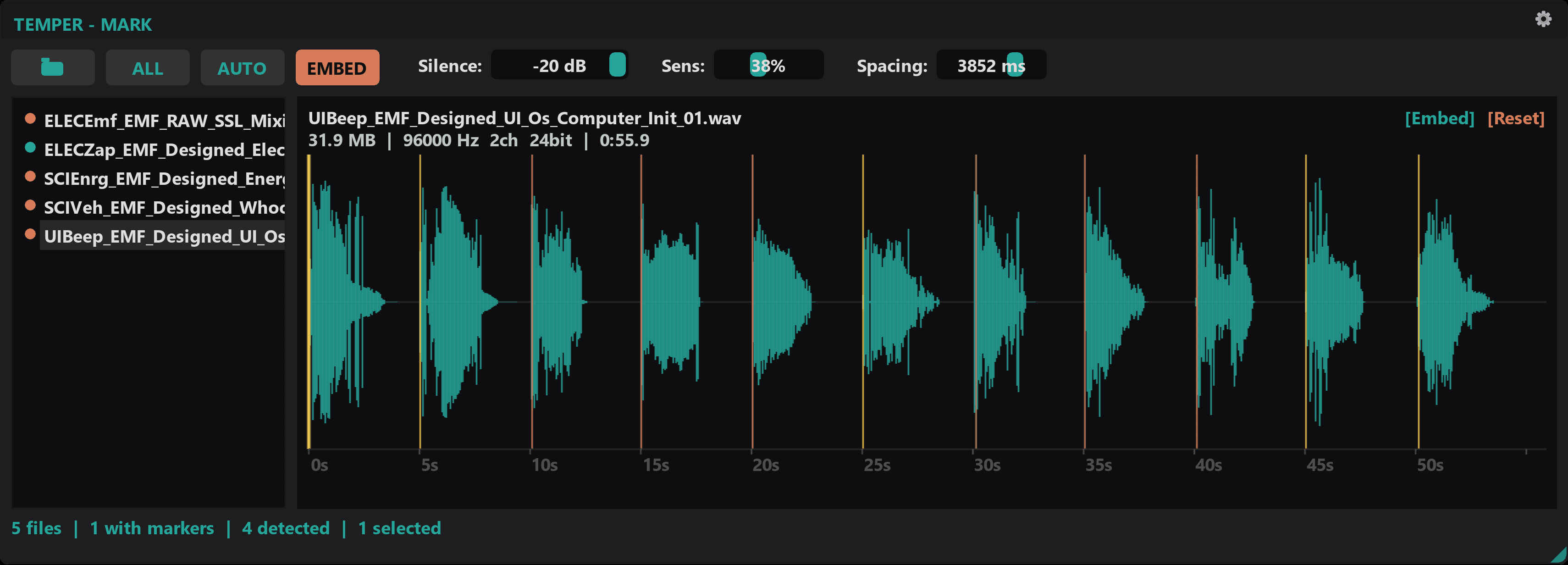
Silence floor, sensitivity, and minimum spacing let you tune Mark for anything from sparse ambiences to dense percussion until the markers land where you hear the hits.
See it before you commit
Existing markers, detected markers, and your manual adjustments all draw on the same waveform. Nothing gets embedded until you can see exactly what's about to land.
Non-destructive by design
Mark writes markers into the WAV file without touching anything else. Audio and metadata stay byte-identical. Only the marker data is new.
How it works
Open a folder of WAV files. Mark scans and loads them.
Tune detection parameters. Preview markers on the waveform.
Embed. Markers are written safely into the files.
Requirements
- Windows 10 or 11
- REAPER 7.x or later
- ReaImGui extension
- js_ReaScriptAPI extension
Mark
Also available as part of the Temper Bundle.
Actively developed and supported. Found a bug? Report it and it gets fixed.