REAPER Script · Property Control
Imprint
Capture once. Apply everywhere. Fine-grained property control across your session.
Also available as part of the Temper Bundle.
Walkthrough
How it works
Precise control over which properties move with your sounds. Capture from one item or many, decide what matters, and carry those choices through every operation.
Exactly the properties you want
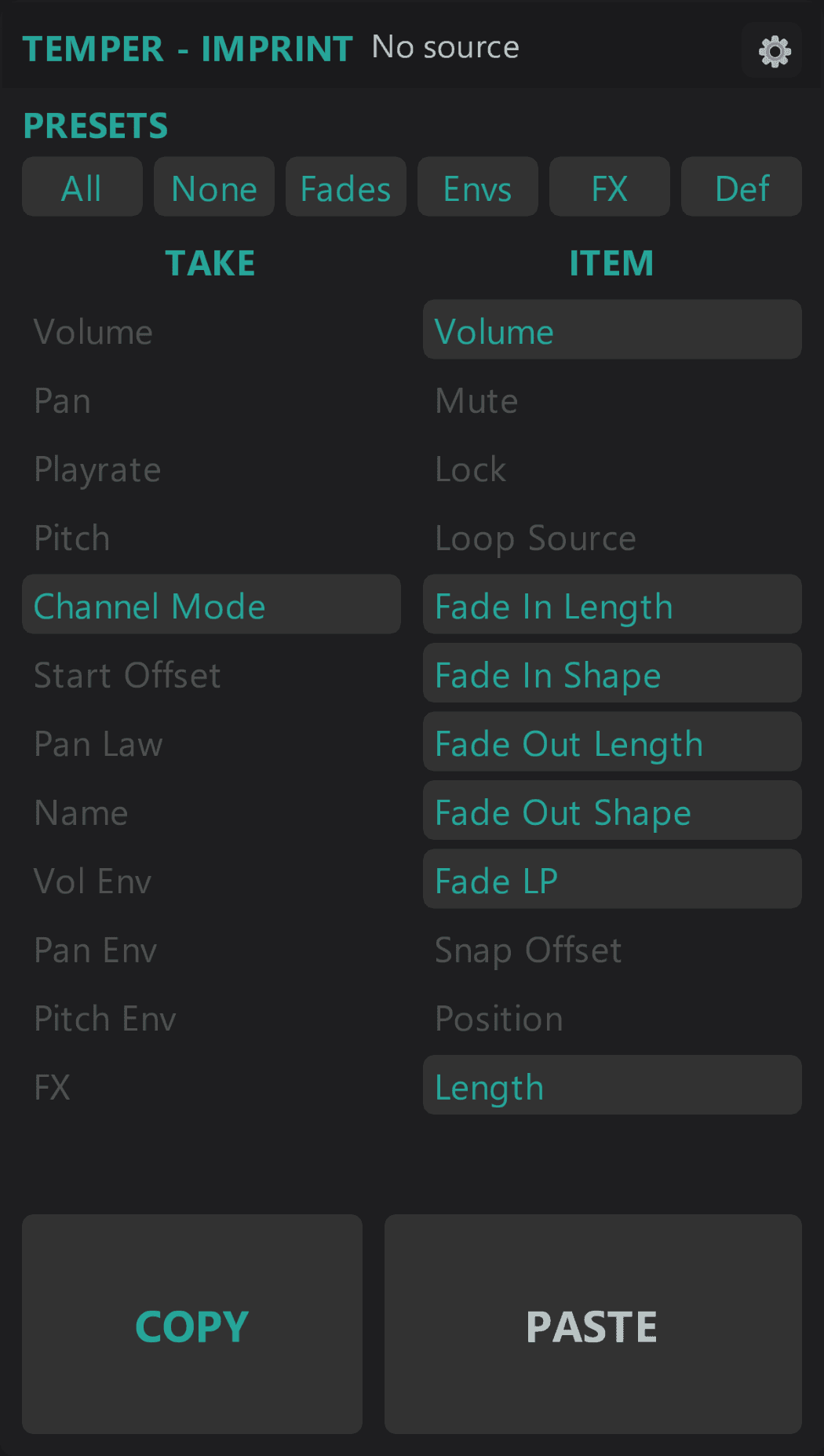
Toggle each take and item property independently: volume, pan, pitch, fades, envelopes, and more. Only the ones you enable transfer.
Six one-click property sets
Built-in shortcuts for the property groups you reach for most: fades, envelopes, FX, all, or none. One click instead of toggling 24 switches by hand.
Wired into the Vortex tools
Imprint's enabled properties carry through whenever Vortex or Vortex Mini rolls new variations. One place to decide what "inherit" means. The rest of the suite respects it.
Capture from one item or many
Select a single item or a multi-track selection across the session. Imprint takes one unified snapshot of the enabled properties, ready to apply to any new selection.
How it works
Toggle on the properties you care about.
Capture from a source item.
Apply to your target selection. Only the enabled properties transfer.
Requirements
- Windows 10 or 11
- REAPER 7.x or later
- ReaImGui extension
Imprint
Also available as part of the Temper Bundle.
Actively developed and supported. Found a bug? Report it and it gets fixed.